


My Bluetooth Device Is Not Working (Troubleshooting)

Jan 12, 2026
 110
110
Is the device turned on?
- If the device is off:
- Make sure the On/Off Switch is turned to ON
- Replace the batteries
- Restart pc
- Submit a ticket if the above steps did not work.
- If the device is on but nothing is inputting on the screen:
- Perform a UEFI Hard Reboot
- If that doesn't work: Type "Find and fix problems with Bluetooth devices" in the window settings and perform a troubleshooting scan by following the steps on the screen
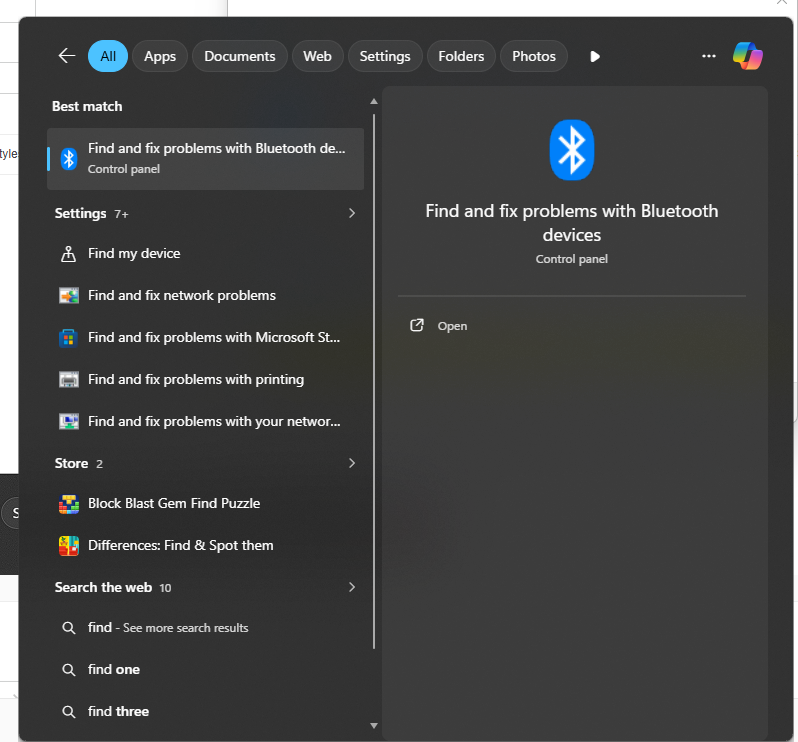
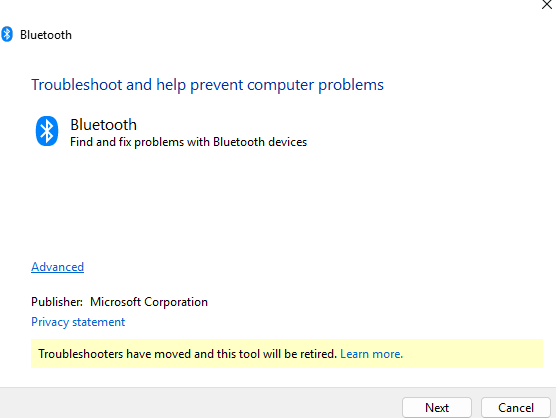
- If that does not work perform a Bluetooth Resync by doing the following:
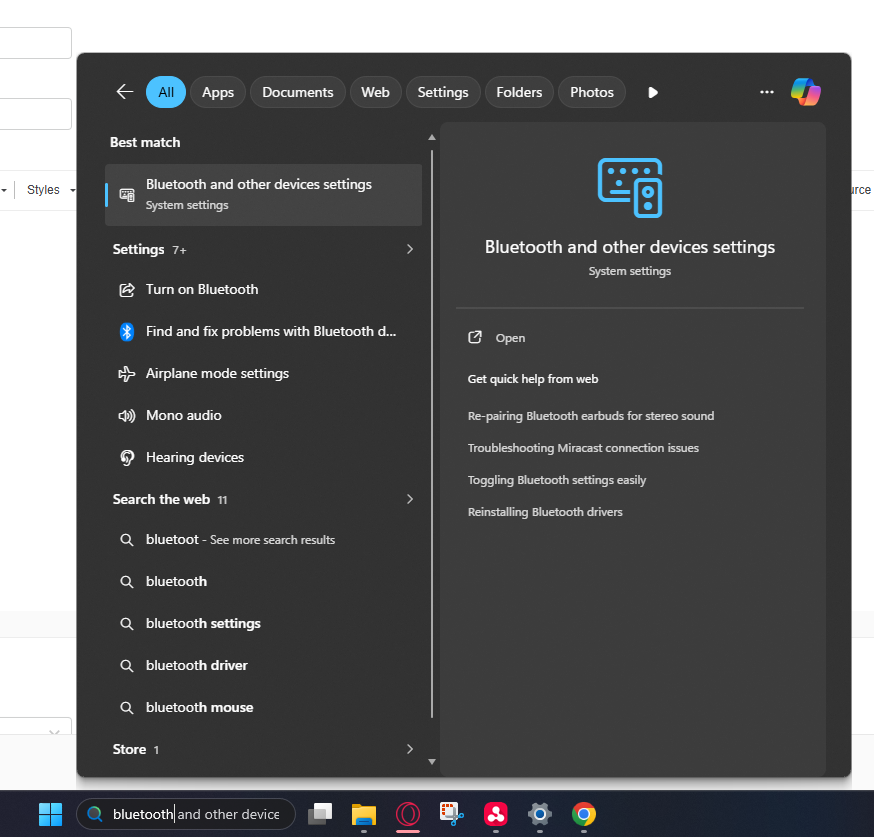
- Open "Bluetooth" in the window settings:
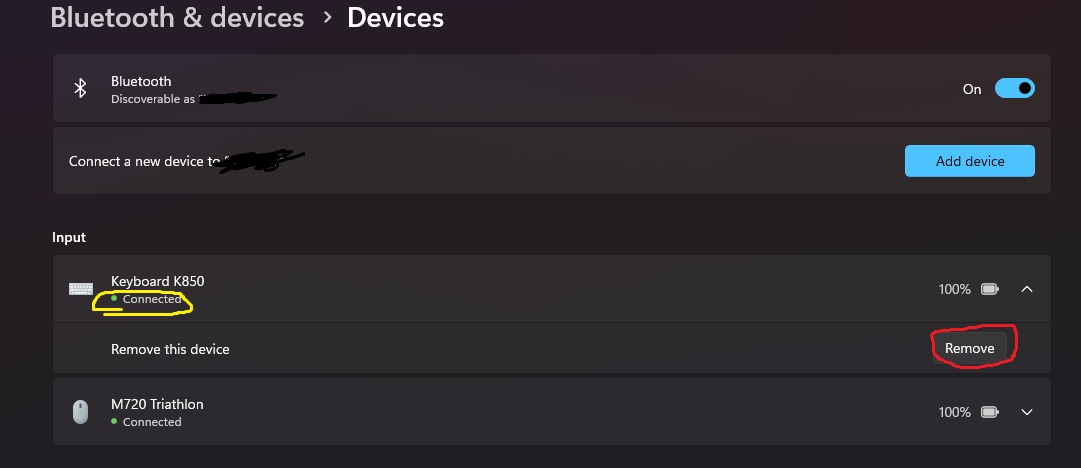
- Check to see if your device is "Connected" (Shown in Yellow)
- Click "Remove" (Shown in Red)
- Click "Add device" and click "bluetooth"
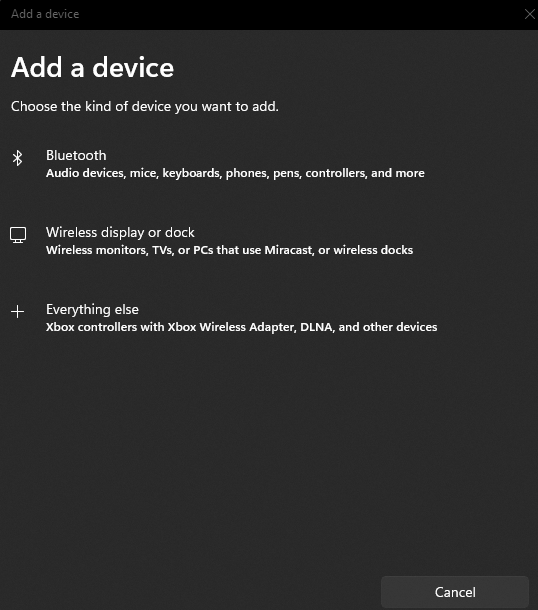
- While it searches for pairable Bluetooth devices hold down the Bluetooth button on your device until you see your device show up and click "Sync"
If above does not work submit a ticket.

