How To Perform A UEFI Hard Reboot

Jan 12, 2026
 66
66
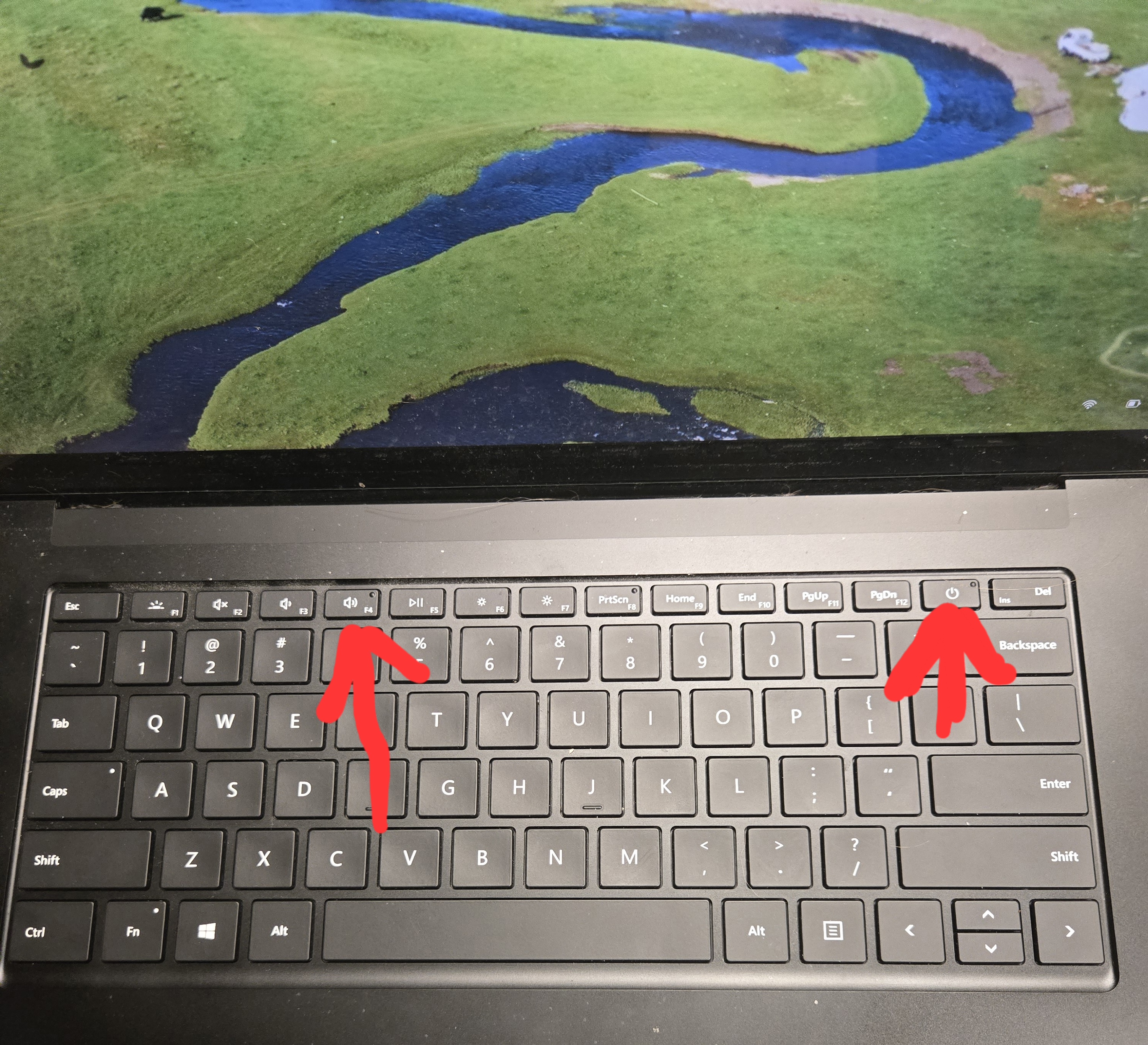
If you're using a surface Laptop:
- Hold the power button and the f4 key at the same time until you see a black screen with 4 white squares then let go.
If you're using a Surface Tablet:
- Hold the power button down and the Volume Up Button until you see a black screen with 4 white squares then let go.
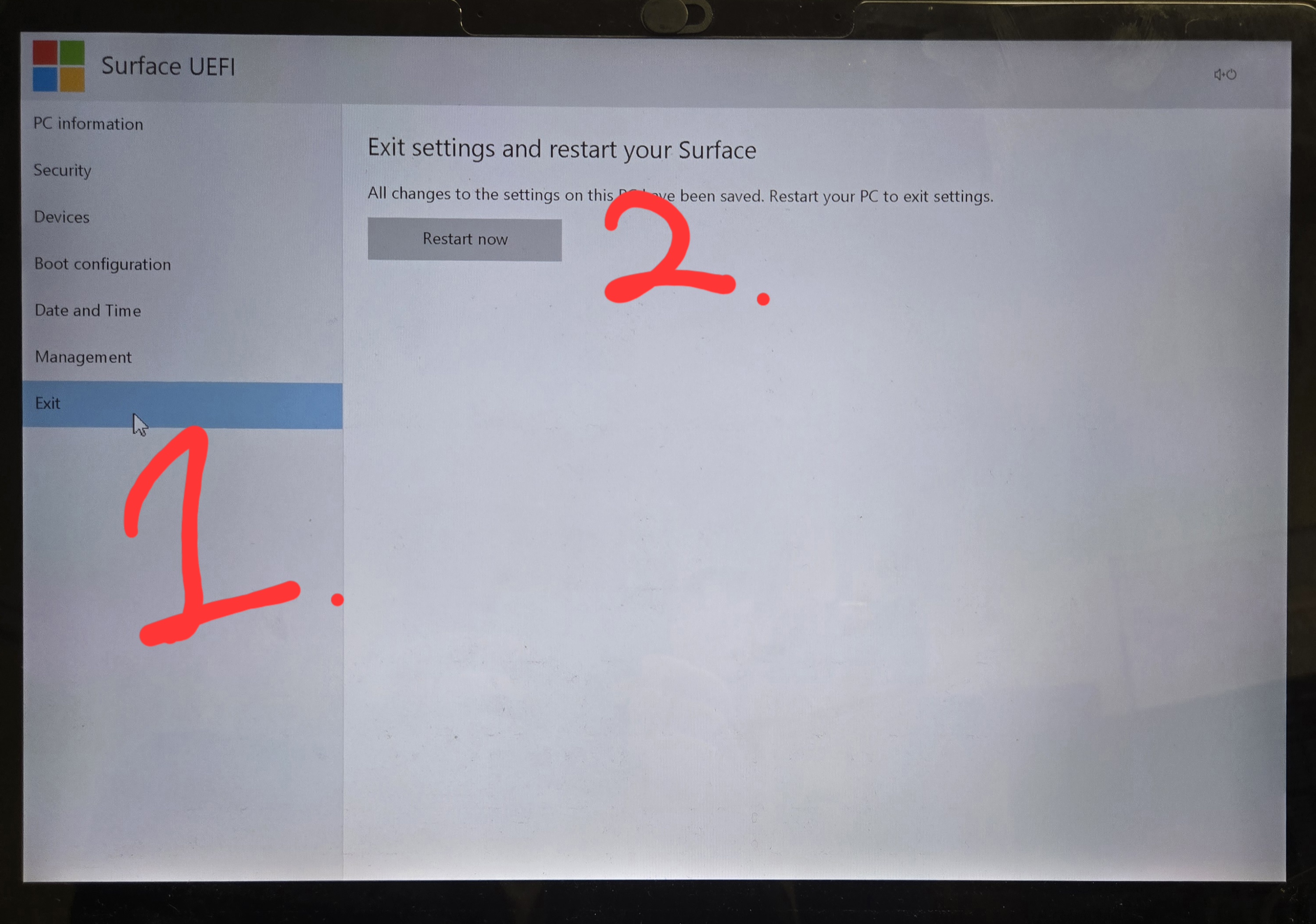
Next, you'll click "Exit" and "Restart now" using your mouse pad (Track Pad)